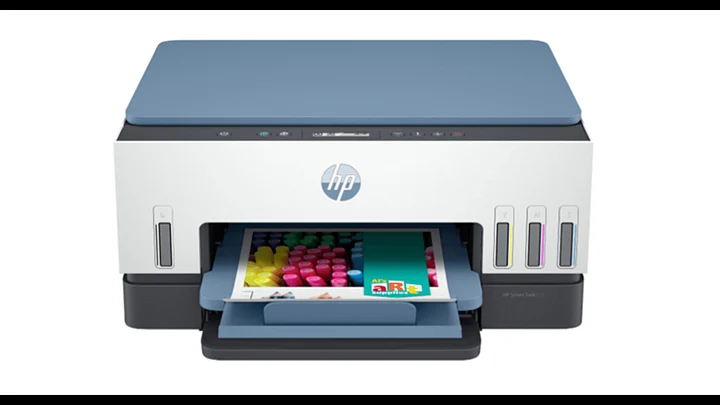
An assignment arrives as a PDF late in the evening. It has twelve pages, a colour diagram and a submission deadline the next morning. A useful printer needs to handle that job without making you struggle with settings, paper or replacement ink.
Choosing a printer for PDF assignments starts with three questions: how much will you print, does colour matter, and do you need printing on both sides? Answer those first. Then compare models against your workload, available space and budget.
What makes a printer suitable for PDFs?
You usually print a PDF through software on your laptop or phone. For ordinary assignments, you do not need a printer with a special PDF feature. You need compatible software, readable output and suitable paper handling.
Look beyond large resolution numbers. Small text, mathematical symbols, tables and diagram labels should remain clear on your chosen paper. Ask for a sample using an actual assignment if possible.
A blurry scan will still look blurry when printed. Before blaming the printer, zoom into the PDF and check whether the original text is sharp.
Match the ink system to your workload
Estimate your monthly pages from a normal study week, then allow for revision notes and project submissions. Remember that twenty printed sides can use ten sheets when printed on both sides.
These are starting points, not fixed rules. Compare ownership costs before deciding.
Check speed figures against real assignments
A higher pages per minute figure matters most when you print longer files. For a single worksheet, the wait before the first page appears also matters. Compare ISO speeds with ISO speeds, rather than mixing draft figures with normal printing results
Calculate costs beyond the purchase price
A student printer should make financial sense across the academic year. Check current Indian prices for replacement cartridges, ink bottles or toner, rather than relying only on the printer's selling price.
For a rough black printing estimate, divide the replacement black supply price by its stated page yield. Add paper separately. This calculation excludes maintenance and assumes the manufacturer's test conditions; it is not a guaranteed cost for your assignments.
Pages containing photographs or large graphics can use more ink than standard test pages. Also check the ink supplied with the exact product bundle, because included quantities can differ.
Which HP models suit different assignment needs?
HP DeskJet Ink Advantage 2878: Occasional homework
The HP DeskJet Ink Advantage 2878 combines colour printing, scanning and copying in a cartridge model. Consider it when you print shorter homework files and occasionally need to copy a worksheet.
Its duplex printing is manual, with driver support. You must reload the paper when instructed. Before choosing it for regular, lengthy PDFs, compare replacement cartridge costs with your expected page count.
HP Smart Tank 580 and 585: Regular colour assignments
The HP Smart Tank 580 and HP Smart Tank 585 offer refillable tanks, wireless printing, scanning and copying. They are worth considering for households printing assignments alongside worksheets, charts and revision material throughout the week.
Both require manual duplex printing. Their practical appeal is the refillable ink system for repeated use, rather than automatic handling of long documents. Compare the current bundles and included ink before paying extra for either model.
HP Smart Tank 720: Longer documents on both sides
The HP Smart Tank 720 adds automatic duplex printing. It turns the paper internally, saving you from manually reloading a long assignment. Choose this feature if your institution accepts submissions printed on both sides.
HP lists ISO speeds up to 15 black pages and nine colour pages per minute. These are test figures; document complexity and settings affect actual speed. For frequent printing, automatic duplex may matter more than a small speed difference.
HP Laser MFP 1188w: Mainly black text
The HP Laser MFP 1188w prints in black only and includes scanning, copying and wireless connectivity. It is a sensible shortlist option for text assignments, question papers and reading material when colour carries no essential information.
Its duplex printing is manual. A laser printer does not automatically include automatic duplex, so check that specification explicitly. Colour charts will print in greyscale, which can make similar colours difficult to distinguish.
Check connectivity, scanning and available space
A wireless printer helps family members send documents from different devices without moving a USB cable. Check support for your exact operating system and preferred mobile printing method before buying.
If you print from a hostel network, ask whether shared network restrictions could prevent printer discovery. Check USB connectivity as a fallback.
For a compact home printer, measure the working space with trays extended and room to lift the scanner lid. Scanning is useful for submitting handwritten pages, but check how documents are loaded if you frequently scan several sheets.
Use this checklist before printing your assignment
Even suitable hardware needs the correct print settings:
- Select A4 when your assignment instructions require A4 paper.
- Use “Fit” when you need the page resized to the printable area.
- Choose “Actual size” for scale drawings that must retain their dimensions, then check for clipping.
- Confirm orientation, page range, copies and colour settings in the preview.
- Print one test sheet before sending a lengthy document.
For personal revision, placing two PDF pages on each sheet can reduce paper use. Check the preview carefully: shrinking pages may make equations and footnotes harder to read. Keep the required layout for assessed submissions.
Choose around your next submission
Start with the PDFs you actually receive throughout the academic year. Compare their length, colour content and submission rules with your budget. A printer that fits those requirements will be more useful than one chosen for specifications you rarely need.